Create Your First Image Post
Generate marketing visuals that align with your product identity and current creative trends — all within minutes.
Step-by-step Workflow
Navigate to → AI Create → Image Creative
This opens the Image Creative workspace, where you can start generating social media visuals or ads.
Select Type → Choose Post or Ad
Post is ideal for organic content on platforms like Instagram or LinkedIn, while Ad is optimized for paid campaigns.

Enter Product Information
Choose an existing product from your list or type a new name to help Uspeedo AI understand the focus of your creative.
Select Target Channels
Choose one or multiple channels (Facebook, Instagram, LinkedIn, or X).
Each platform has different format and tone preferences — Uspeedo AI automatically adapts your visual and copy accordingly.
Adjust Optional Settings
• Post Topics: Add relevant keywords or themes (e.g., "AI innovation," "digital transformation") to guide the concept.
• Reference Image: Upload an image to maintain brand consistency or visual direction.
• Language: Choose the content language.
Click "Generate"
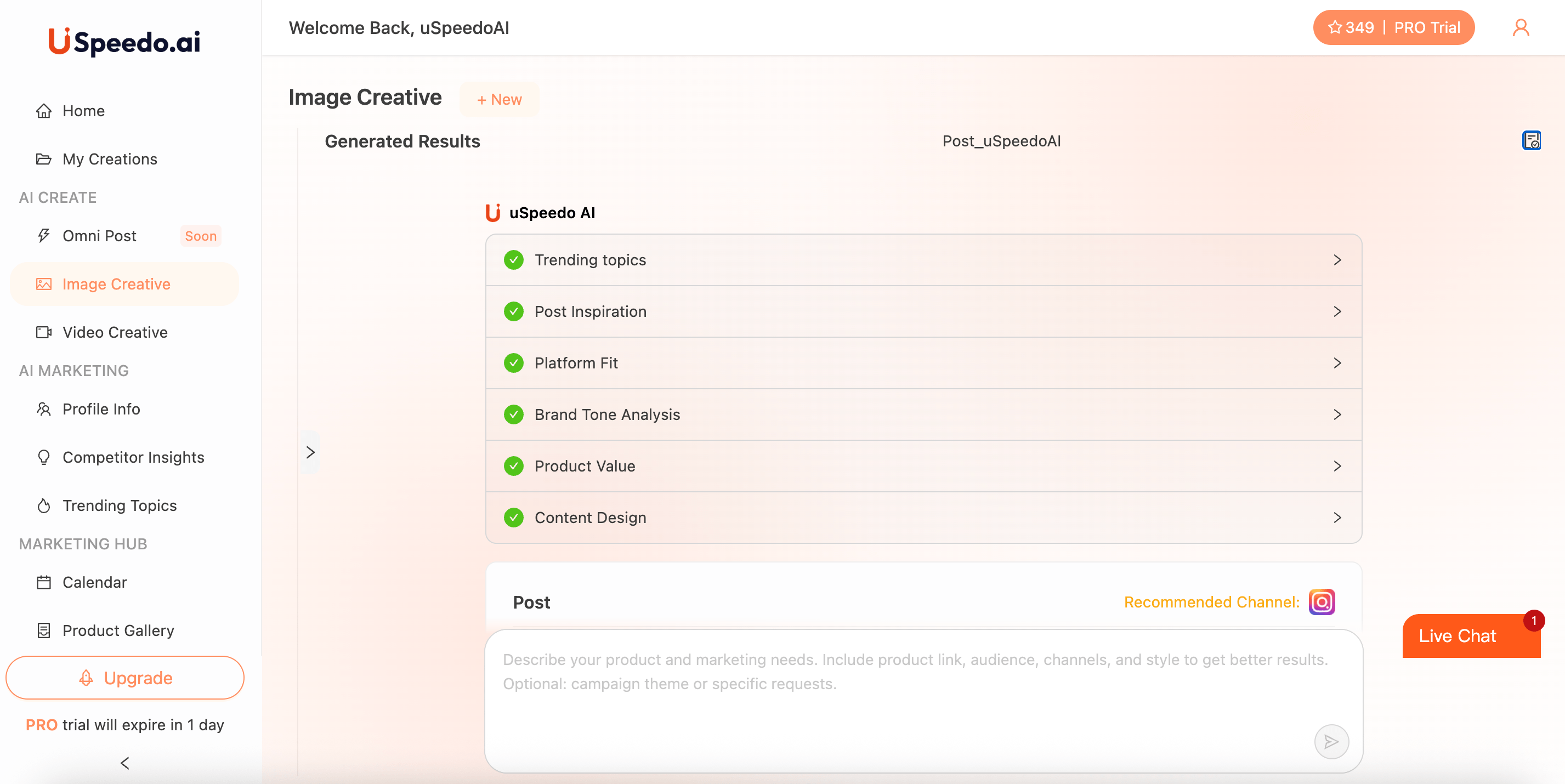
The right panel will show the AI's reasoning process and generation steps. Uspeedo AI analyzes your input and prepares content that matches your product and platform context.
Review and Refine
Once generation completes, preview the post directly in the Generated Results area. You can adjust tone, re-generate content, or move forward with export.
How Uspeedo AI Builds Your Image Post
During generation, the AI conducts a structured analysis to ensure your creative is both visually and strategically aligned:
Each of these steps ensures your output isn't just AI-generated — it's strategically optimized for reach and resonance.
Output and Actions
Once the image and post copy are generated, you can:
Tip: Save, download, or edit your generated post directly from the "Generated Results" area.