How to Connect Instagram Account to uSpeedo.ai
1
Setup your Instagram account before connecting
To prepare your account connection, ensure these three criteria are met for your Instagram Business and Facebook Page:
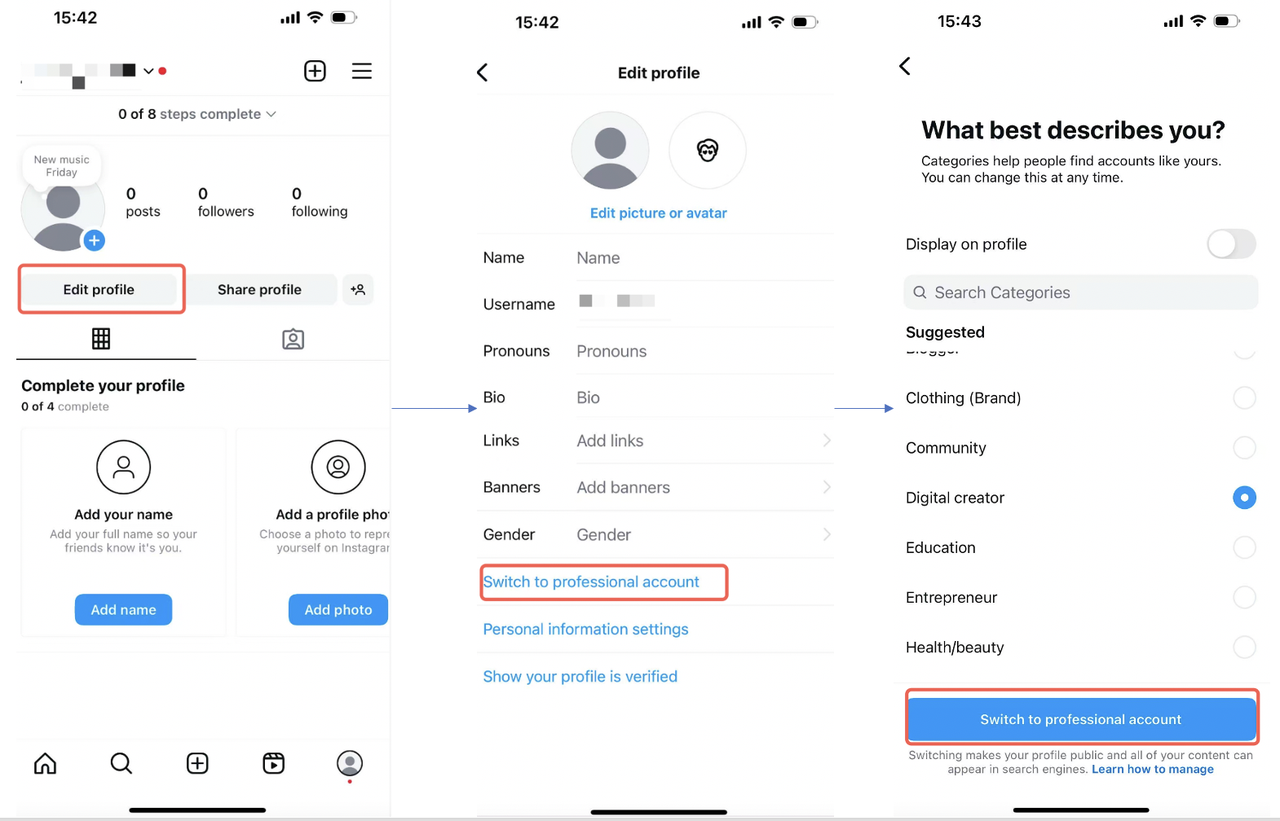
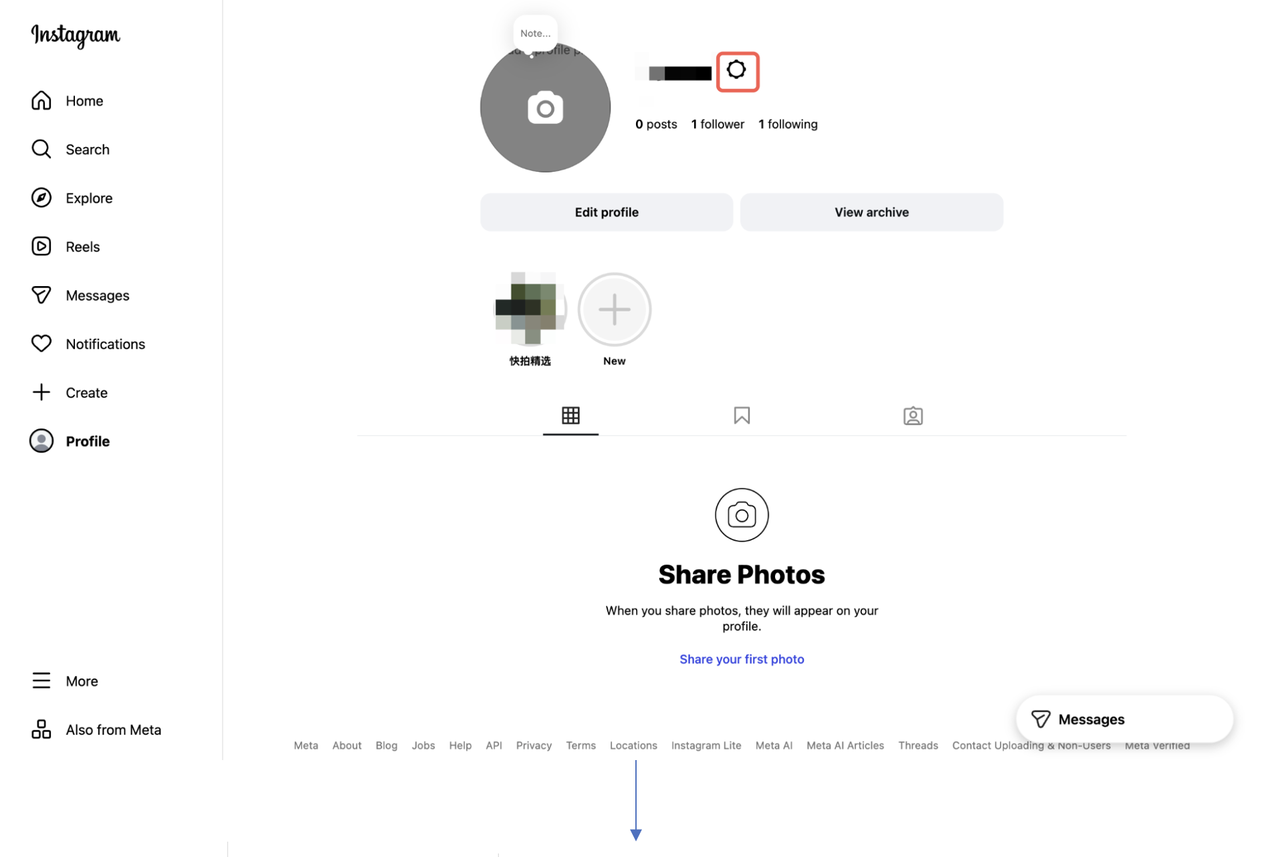
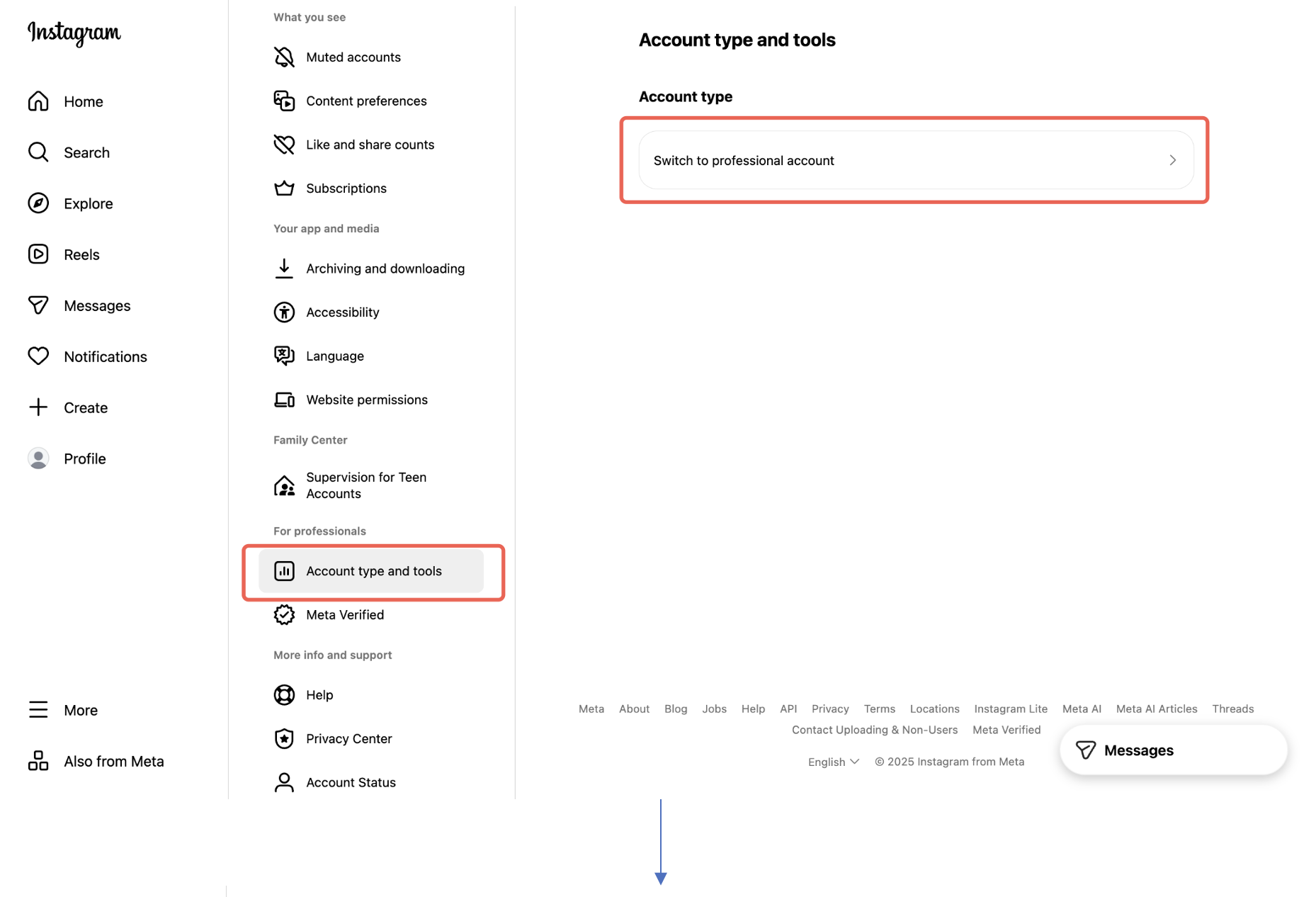
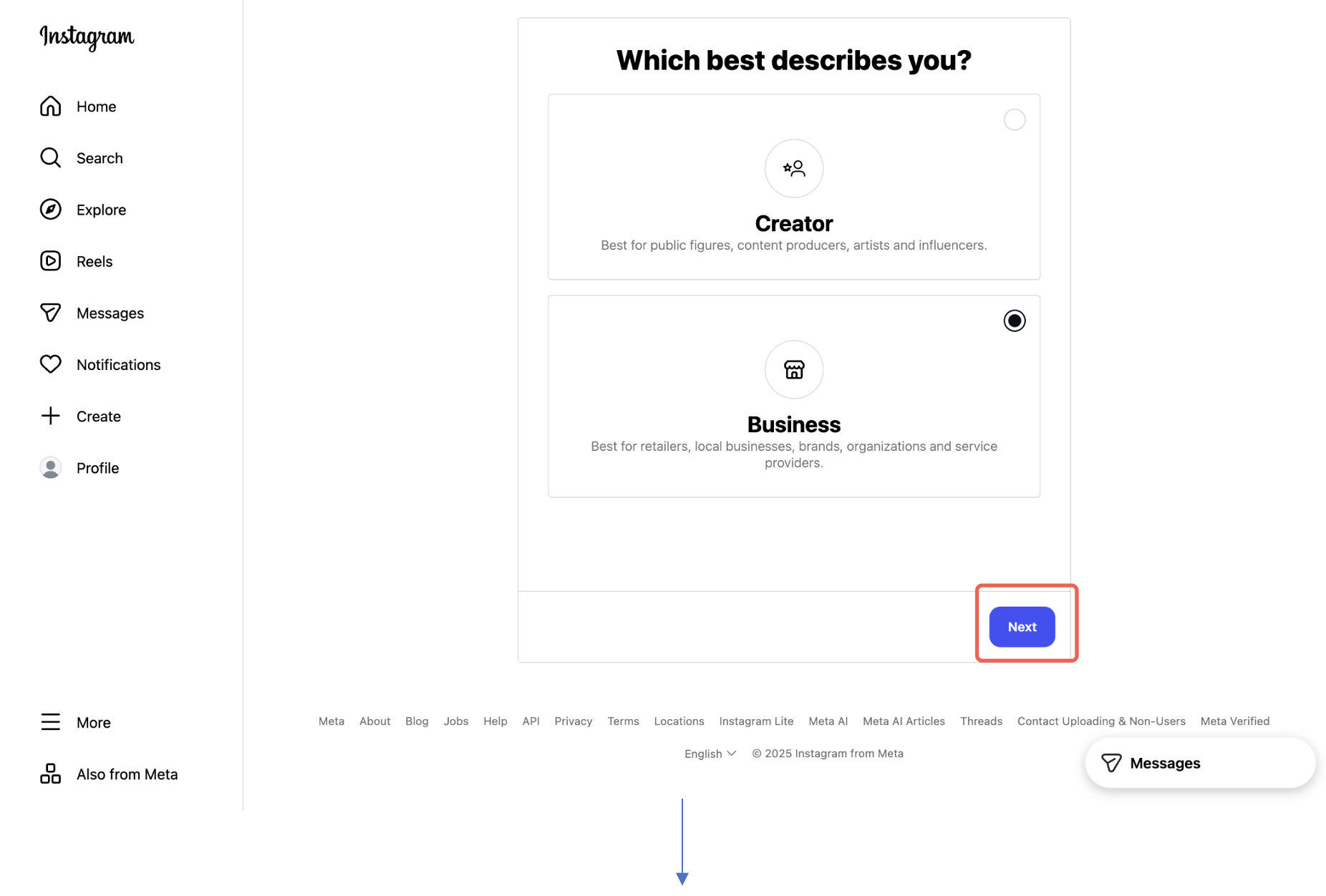
- Your Instagram account is a creator or business account. See Instagram's help page for how to set up or convert a personal Instagram account to a Business instagram account. Or you can refer to the illustration below:
- Mobile:
- Desktop:

- Your Instagram account is connected to a Facebook Page. See Instagram's help page for how to connect a Facebook Page. Or you can refer to the illustration below:
- Mobile:

- Desktop: This setup must be completed via Facebook

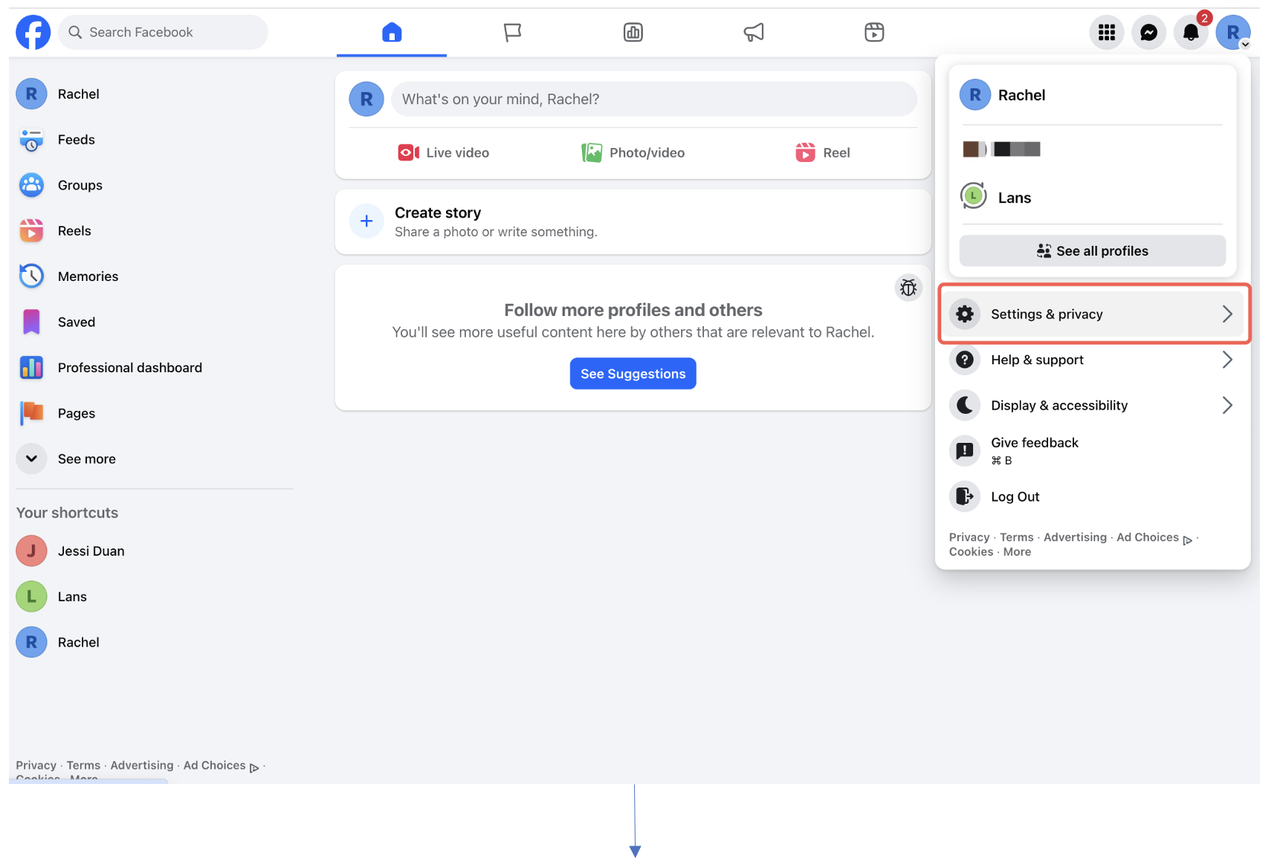
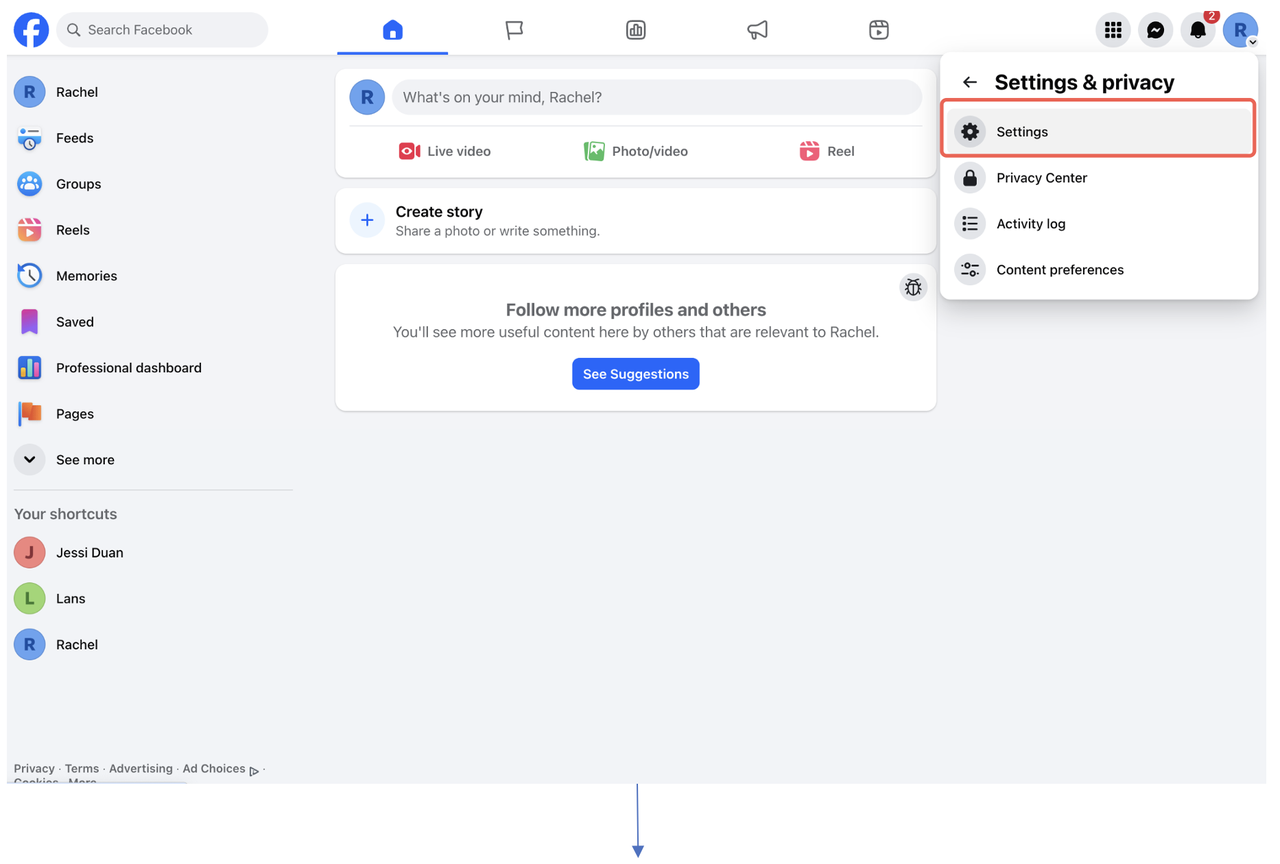
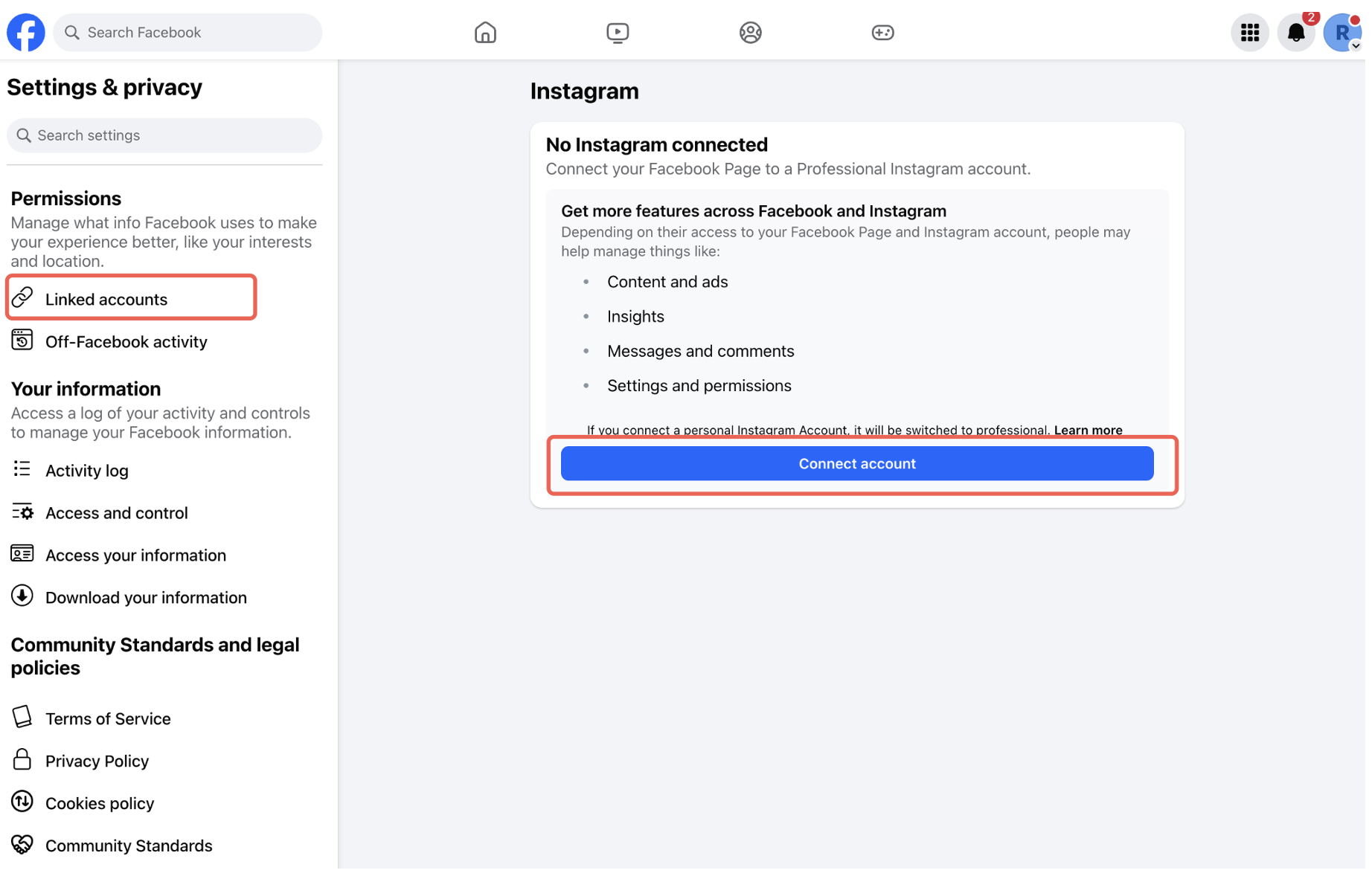
- Your Facebook profile is an Admin with Full Control for that Facebook Page and Instagram Business account. See Meta Business's help page for giving someone access to your page
2
Connect Instagram Account to uSpeedo.ai
2.1 Enter your Facebook login credentials or proceed if you're already logged into Facebook.
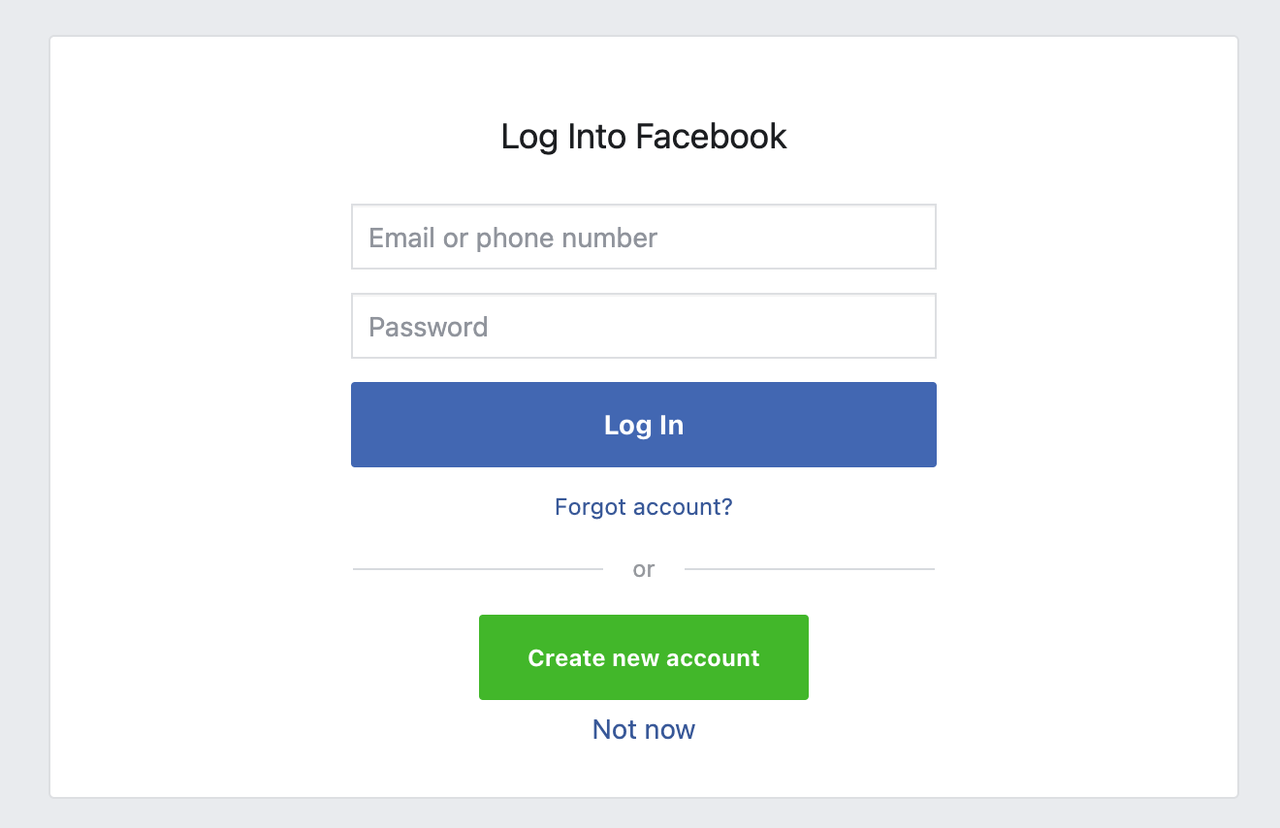
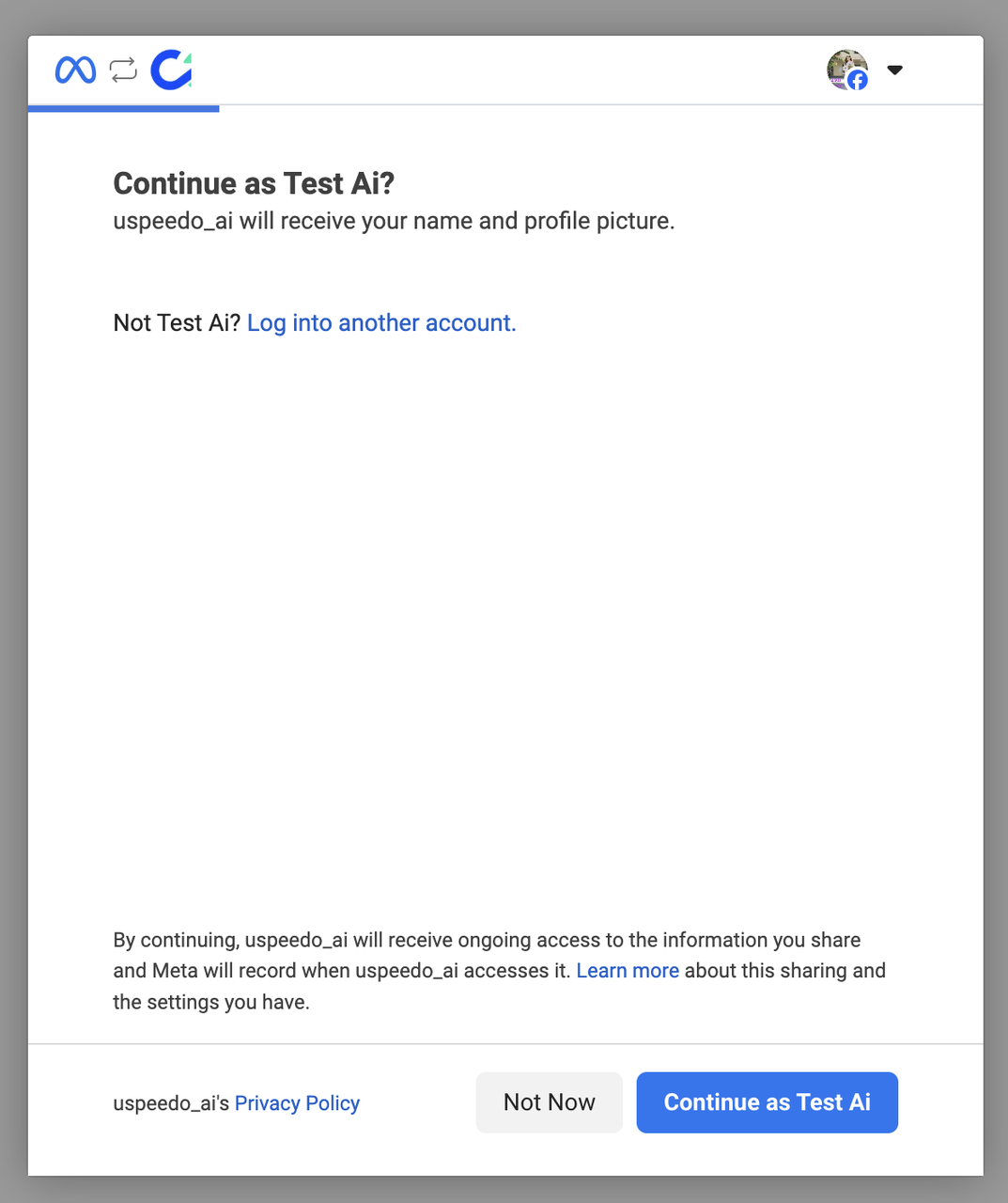
2.2 Then connect your Instagram account. Remember, your Instagram Business account must be associated with the Facebook profile you are logging in with.
2.3 Once logged into Instagram, you'll have the option to grant permissions and select which Instagram accounts you'd like to connect. When granting permission to uSpeedo.ai, Facebook will then offer an option to review access request. Note that you should not change any of the default permissions. If the permissions are edited, uSpeedo.ai will not be able to work properly with your account.
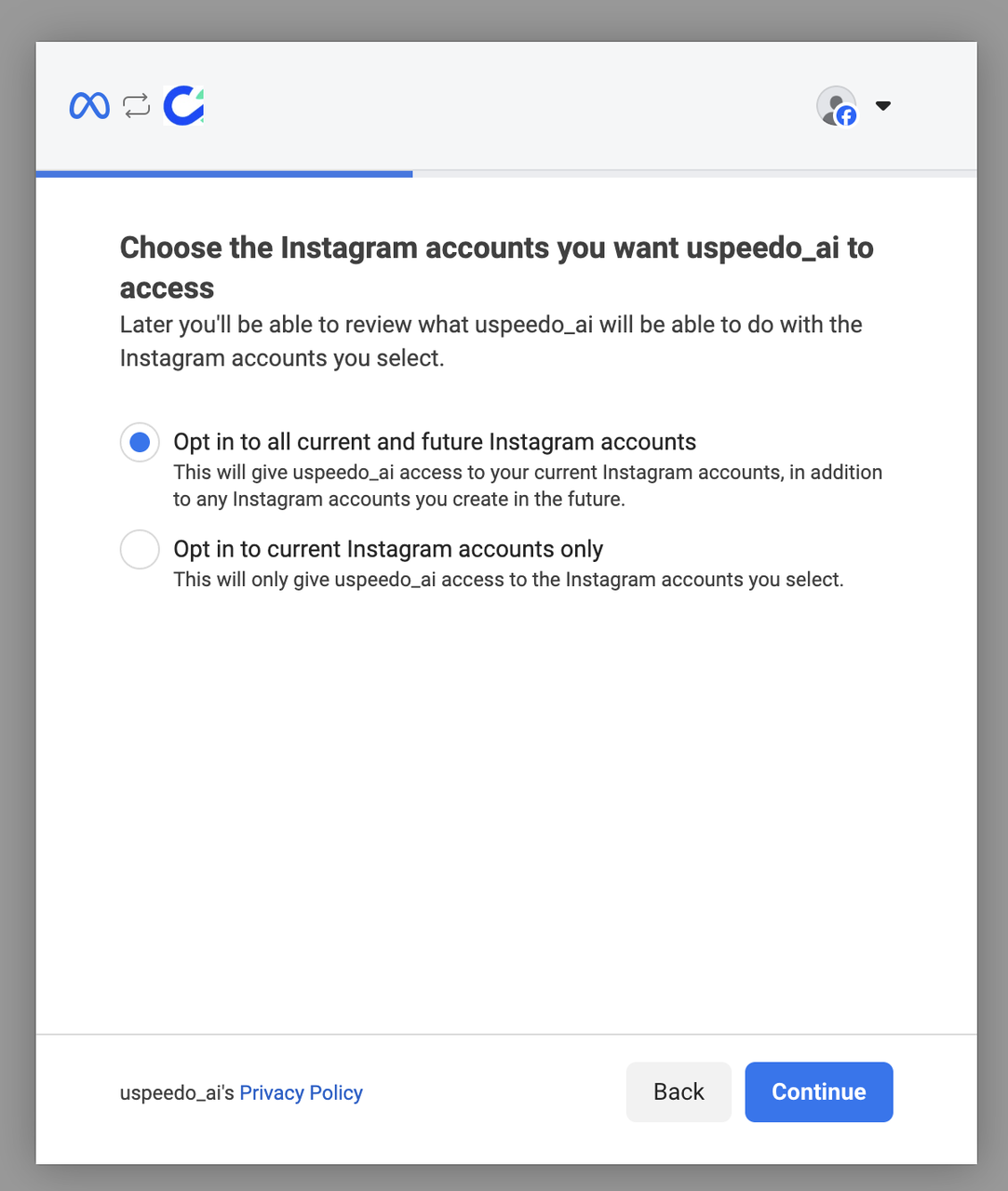
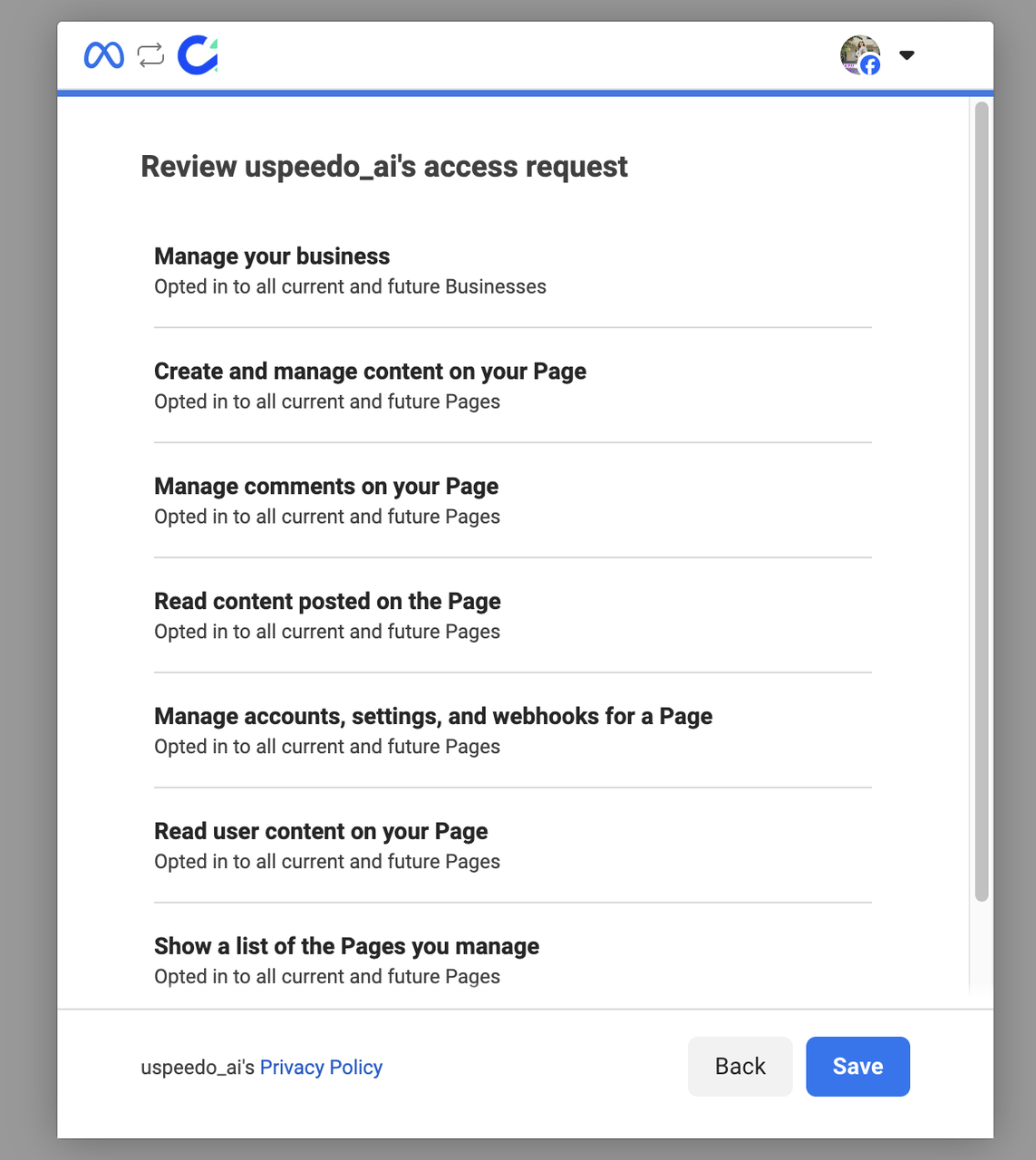
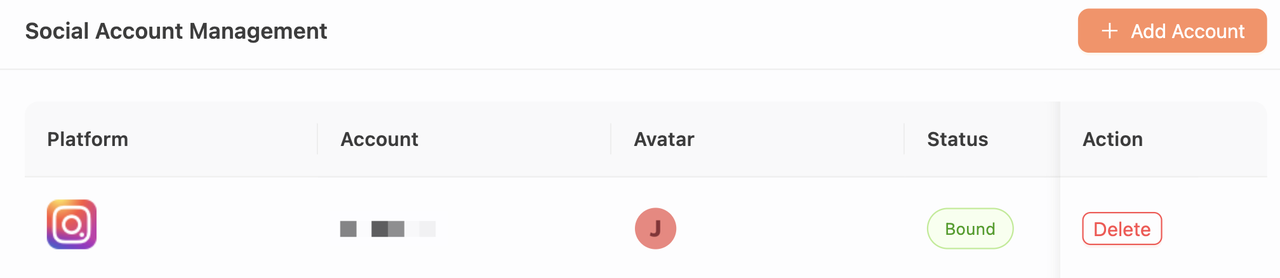
2.4 When you have completed the flow, you will be redirected back to uSpeedo.ai. You will see your account has been successfully connected to uSpeedo.ai.
💡 Tips
You can check if your Instagram account is marked as business account on your phone. Head to your instagram profile page first. If you have a business or creator account, "Professional dashboard" banner will show up under your profile info.